We just released a new feature that allows you to have firmware programmed onto your devices during the manufacturing process.
On the project page you'll now see a "Firmware" tab. On the lower left hand corner there is an option to upload your own firmware.
Once you upload your file you can select which reference designator you need the firmware to be added to. You can, of course, also delete the file if you need to provide an updated one. Once you place an order the firmware files will automatically be included with the rest of the details required for manufacturing. Typically the programming for high volume is done before assembly and for low volume after assembly. If you have any special instructions you can use the issues system to communicate with the factory or contact us directly.
If you try out this new feature let us know how it works for you!
We're often asked "How can I allow others to view and edit my project?". Organizations create a GitHub-like space for hardware projects, making it easy to set up teams and collaborate with your peers.
If you make a change to a project shared inside an organization, it will be visible to all members. This includes uploading new revisions, specifying substitutes, supplying pricing, marking components as consigned, and placing orders.
If you try out this new feature we'd love to hear your feedback!
A question that we've frequently been asked is "How should I deal with parts which are out of stock or not available on CircuitHub?" We recently released several features which let you supply your own pricing, add parts that aren't in our database, and consign parts.
Supply pricing: If you know of a source for the part you can quickly add it by clicking "Supply Pricing" on the BOM drop down.
 Add parts to CircuitHub:
 If the part is not available in the CircuitHub database you can add it by clicking "Add part to library."
 Consign parts:
 You can also select parts which you would like to provide yourself. Once you place your order you will be given instructions on where to send your parts.

If you try out any of these new features we would love to hear your feedback as well as any suggestions for new features you might have!
We're very excited about the beta release of our new quoting and fabrication service for PCB projects. Our goal is to remove the time and frustration it takes to source, quote and fabricate PCBs so that you can spend your time designing instead of managing files and spreadsheets.
Click here to see an example of what a project uploaded on CircuitHub. You can also explore the public projects that others have uploaded. Continue reading to learn how to quickly create a project of your own:
1.) Click upload a project. You will receive a popup asking you to import a project from your Dropbox.
2.) Place your project in the Dropbox/Apps/CircuitHub/projects folder (which will have been automatically created by CircuitHub). Back in CircuitHub, start typing in the name of your folder and CircuitHub will automatically detect it.
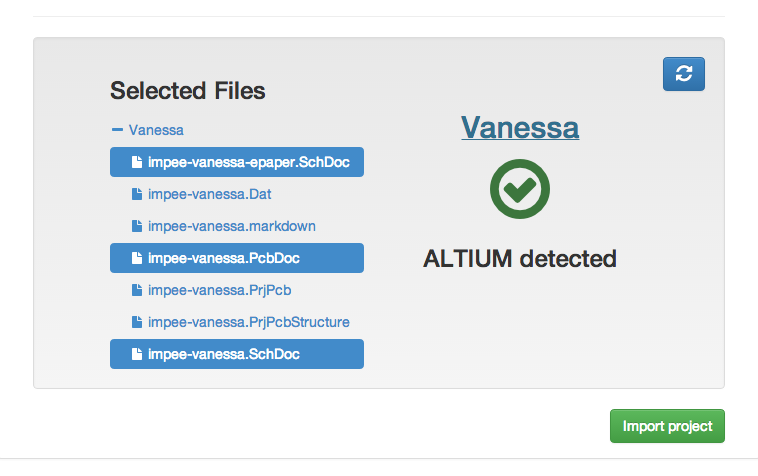
3.) CircuitHub will automatically detect which design tool you are using and the relevant files that it needs.
4.) Click "import project". You'll see that CircuitHub is busy is importing your project. This may take a couple minutes.
5.) Once CircuitHub has imported your project the first thing you'll see is your bill of materials. If you scroll down you will also see all of the project detaisl including the schematic, board design, and specificiations. You can also choose to make your project private if you'd like if you forgot to do so when you first imported it.
6.) Before you'll receive a quote you'll need to reconcile all of the parts in your BOM with real manufacturer parts.
Many of your parts may have been already reconciled for you with parts that have been suggested by CircuitHub. The more projects that are uploaded the better we can auto suggest parts for you. You can disapprove any suggested parts that are not appropriate for the line item by clicking on the "x" next to the part.
Parts without approved or suggested parts are in red You'll need to add parts for these line items. To reconcile a part, click on the line item to expand it. CircuitHub uses the
unstructured data given by the EDA tool to automatically come up with search terms that match the part attributes. Search for a part via the interface which is powered by
Octopart. Add parts by click the "plus" on the right. If you have more than one part selected for a line item CircuitHub will select one amongst the pool of candidates based on pricing and availability. On the left you can choose to make parts cosmetic or DNP and can see all the specifications for the line item.

7.) Once you have reconciled your entire project you'll receive a quote with a breakdown for parts, pcb, and assembly. Using the slide bars you can selected how many boards you want and when you want them.
8.) Finally, click fabricate and a popup will appear to enter all of your billing details. We handle our payments through
Stripe. Once you have submitted your order, go back to the CircuitHub dashboard to see the status of your build. We'll be in touch via email shortly after you place your order.
Have any questions, comments, or feedback? As always, feel free to reach out :)
.png)




 ". The number next to the check mark indicates how many orders this footprint has been used in.
 " icon indicates that the footprint is different from an existing verified footprint, but but is still similar to other non-verified footprints on CircuitHub. It is not necessarily incorrect, but is worth double checking.
 " are different from an existing verified footprint and do not have any other footprints that are similar. This footprint is likely to be incorrect.
 " have information that may be useful for you such as how many projects have similar footprints.